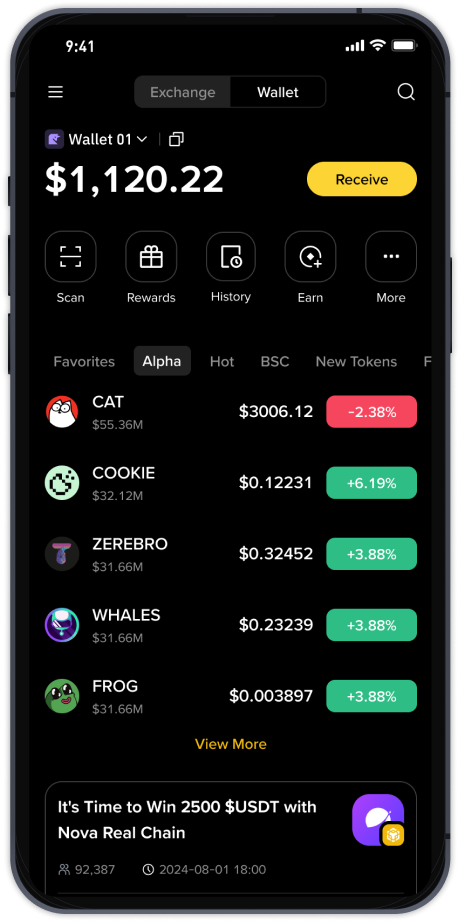
How to Transfer BNB from TP Wallet to Binance Exchange: A Step-by-Step Guide

If you are using the TP Wallet (TokenPocket) and need to move your BNB (Binance Coin) to the Binance exchange for trading, staking, or withdrawal, the process is straightforward but requires attention to network details. This guide will walk you through every step to ensure a safe and successful transfer.
Step 1: Prepare Your Binance Wallet Address
Before initiating any transfer, you must first log in to your Binance account. Navigate to "Wallet" > "Fiat and Spot" and search for BNB. Click on "Deposit." Binance will display a deposit address and select the network. Critical: Always choose the correct network that matches your TP Wallet. For BNB, the most common networks are BEP-2 (Binance Chain) and BEP-20 (Binance Smart Chain). BEP-20 is widely used due to lower fees and faster confirmations. Copy the deposit address carefully.
Step 2: Open TP Wallet and Select BNB
Open your TokenPocket wallet. Ensure you are on the correct blockchain network. If your BNB is on the Binance Smart Chain (BSC), switch to the BSC network within TP Wallet. Tap on "Assets" and find your BNB balance. Click on "Send" or "Transfer."
Step 3: Enter the Recipient Address and Amount
Paste the Binance deposit address you copied earlier into the recipient field. Double-check the address for any typos. Enter the amount of BNB you wish to transfer. Keep in mind that you need to leave some BNB in your wallet to cover the network gas fee (usually a small amount like 0.0005 to 0.005 BNB depending on network congestion).
Step 4: Confirm Network and Gas Fee
TP Wallet will display the estimated gas fee. Review the network name—it must match the network you selected on Binance. For example, if you are transferring on BEP-20, both sides must show "BSC" or "BEP-20." Mismatching networks (e.g., sending BEP-20 to a BEP-2 address) can result in permanent loss of funds.
Step 5: Complete the Transfer
After verifying all details, confirm the transaction. You may need to enter your wallet password or use biometric authentication. The transaction will be broadcast to the blockchain. You can track its status using a block explorer like BscScan for BEP-20 transactions.
Step 6: Check Binance for Confirmation
Once the transaction is confirmed on the blockchain (usually within a few minutes for BSC), open Binance and go to "Deposit History." You should see the incoming BNB transaction pending or completed. Binance typically requires a certain number of block confirmations before the funds become available—this usually takes about 10 to 30 minutes for BEP-20.
Important Security Tips:
- Always verify the full deposit address, not just the first and last characters.
- Never send BNB directly from TP Wallet to a smart contract address unless you are certain of the process.
- If you are unsure about the network, send a small test amount first (e.g., 0.01 BNB) before transferring larger sums.
- Keep your TP Wallet recovery phrase secure—never share it with anyone, including Binance support.
Common Mistakes to Avoid:
1. Network mismatch: Sending BNB on the Ethereum network (ERC-20) to a Binance BEP-20 address will result in lost funds. Binance does not honor cross-chain errors.
2. Insufficient gas: If your TP Wallet has less BNB than the required gas fee, the transaction will fail, but you may still be charged a fee.
3. Copying the wrong address: Some users mistakenly copy the BNB withdrawal address from Binance instead of the deposit address.
Frequently Asked Questions:
Q: How long does a BNB transfer from TP Wallet to Binance take?
A: On the BEP-20 network, transactions are typically confirmed within 3-5 minutes, but Binance may require additional block confirmations, making the total wait time around 10-30 minutes.
Q: What is the minimum BNB amount I can transfer?
A: Binance sets a minimum deposit amount—check the Binance deposit page for the current BNB minimum. TP Wallet does not impose a minimum, but the gas fee may make tiny transfers uneconomical.
Q: Do I need to add a memo when transferring BNB?
A: For BEP-20 transfers, no memo is required. However, if you are using the old BEP-2 network, a memo number is mandatory. Always check Binance's instructions for the specific deposit address.
By following these steps precisely, you can safely and efficiently transfer your BNB from TP Wallet to Binance exchange. Always prioritize network accuracy and double-check every detail before confirming the transaction.