How to Transfer USDT from Binance Smart Chain to an Exchange: Step-by-Step Guide

Transferring USDT from the Binance Smart Chain (BSC) to a cryptocurrency exchange is a common task for traders and investors. While the process may seem daunting for beginners, it becomes straightforward once you understand the key steps. This guide explains how to move USDT from a Binance Smart Chain wallet to a supported exchange, focusing on essential actions like selecting the correct network, obtaining the deposit address, and completing the transaction.
First, ensure that your target exchange supports USDT deposits on the Binance Smart Chain. Most major exchanges, including Binance, OKX, Bybit, and KuCoin, accept BEP-20 USDT. However, smaller platforms may only support ERC-20 (Ethereum) or TRC-20 (Tron) networks. Log into your exchange account and navigate to the “Deposit” or “Receive” section. Search for USDT and carefully check the listed deposit networks. If BSC is not visible, you may need to select a different exchange that supports BEP-20 transfers, as sending tokens on an unsupported network could result in permanent loss.
Next, copy the correct deposit address. Once you select BEP-20 under the USDT deposit options, the exchange will generate a deposit address and a memo tag (if required). Copy this address exactly as displayed—do not modify or truncate it. If the exchange requires a memo tag (for example, when depositing to a centralized exchange wallet), copy that as well. Note that some exchanges do not use memo tags for BEP-20 deposits, so verify this before proceeding.
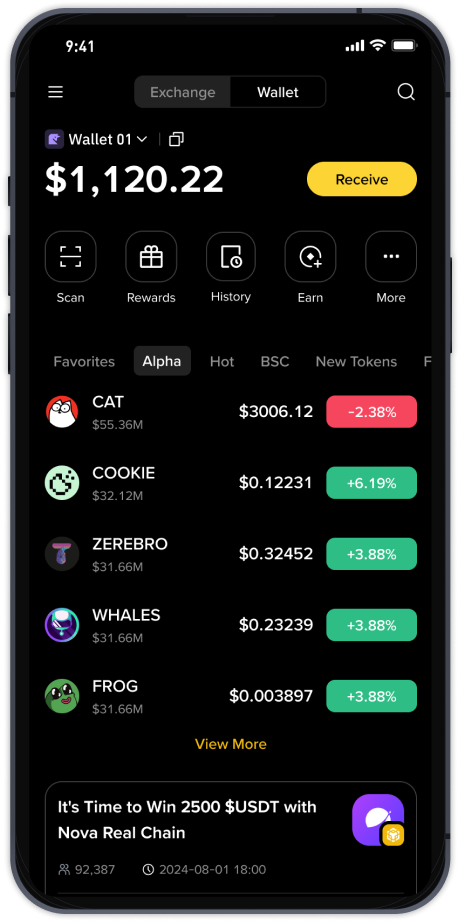
Now, open your wallet that holds the USDT on Binance Smart Chain. This could be the official Binance Web3 wallet, Trust Wallet, MetaMask (configured for BSC), or any other BEP-20 compatible wallet. Ensure you have a small amount of BNB (the native token of BSC) in the same wallet to pay transaction fees. Without BNB for gas, the transfer will fail. Check your wallet balance—generally, 0.001 BNB to 0.01 BNB is sufficient for a single transfer, but fees fluctuate based on network congestion.
In your wallet, select USDT and choose “Send” or “Transfer.” Paste the exchange deposit address you copied earlier into the recipient field. If a memo tag is required, enter it in the designated field. Do not put the memo in the address field, as this will cause the transfer to be lost. Then, confirm the network is set to Binance Smart Chain (BSC) or BEP-20. Some wallets automatically detect the correct network, but always double-check to avoid sending on the wrong chain.
Enter the amount of USDT you wish to transfer. You can send any amount above the minimum deposit threshold of the exchange. Keep in mind that the network fee (gas fee) is deducted from your BNB balance, not from the USDT amount. Review all details: address, memo, network, and amount. Once confirmed, authorize the transaction in your wallet. The transfer usually processes within a few seconds to a few minutes on BSC, due to its fast block times and low fees.
After the transaction is submitted, you can monitor its status on a block explorer like BscScan. Enter the transaction hash (TxID) to see confirmations. The exchange typically credits your USDT deposit after 10 to 30 network confirmations. This may take 1–5 minutes. If you do not see the funds after an hour, check that the network was set to BEP-20, the address was correct, and the memo tag was properly attached. Contact the exchange’s support team with the transaction hash if the deposit does not appear.
Common mistakes include using the wrong network (e.g., sending BEP-20 USDT to an ERC-20 address), forgetting to add BNB for gas, or omitting the memo tag when required. To avoid these errors, always test with a small amount first, especially for large transfers. Once the test transfer arrives successfully, you can proceed with the full amount.
By following this step-by-step process, sending USDT from Binance Smart Chain to an exchange is quick and reliable. Always keep your wallet secure, use verified addresses, and stay aware of current network fees. This method works seamlessly for Binance.US, KuCoin, Huobi, Gate.io, and other platforms that accept BEP-20 tokens.